
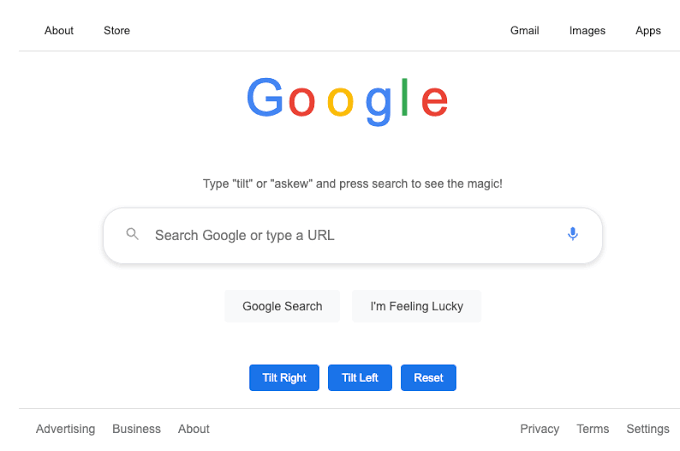
Search engines rarely surprise anyone these days, yet Google still hides a few playful tricks inside its results page. One of the oldest and most talked about is askew, a small visual effect that tilts your entire screen the moment you search for it. It sounds strange at first, but once you try it, the reaction makes sense right away. Most people stumble on it by pure chance while typing random words into the search bar.
This trick has stayed active for years without much promotion from Google itself. People mostly find it by accident, then share it with friends because the reaction is genuinely funny. Understanding how it works, why it exists, and where it fits among other search tricks gives a clearer picture of Google’s playful side. It also shows how even a massive platform leaves room for small, unexpected fun.
What Does Askew Mean?
The word askew simply means something that is not straight. It describes anything crooked, slanted, or off balance. A picture frame hanging unevenly on a wall is askew. A stack of books leaning to one side is askew too. Google borrowed this exact meaning and turned it into a visual joke inside its own search engine.
Once you understand what askew actually means, the Easter egg makes a lot more sense. The word describes the effect perfectly because that is literally what happens on screen. Nothing about the page breaks or stops working. It just leans, exactly like something sitting askew in real life.
How to Activate the Askew Trick on Google
Getting the tilt to show up takes only a few seconds. Open a browser, head to Google, and type the right word into the search bar. The page rotates almost instantly once you hit enter.
Steps to See the Tilt Effect
| Step | Action |
| 1 | Open Google.com in any browser |
| 2 | Type “askew” into the search bar |
| 3 | Press enter or click the search icon |
| 4 | Watch the results page lean to one side |
Refreshing the page removes the tilt right away. Nothing about your browser settings changes permanently, so there is no risk in trying it more than once.
Alternate Search Terms That Trigger the Tilt
Askew is not the only word that makes this happen. A couple of other terms produce the exact same rotated effect, though fewer people know about them.
Other Words That Work
- Typing “tilt” gives the identical rotated result
- Typing “dutch angle” also activates the tilt, since it refers to a slanted camera shot used in filmmaking
That second option is a nice detail. Directors use a dutch angle when they want a scene to feel uneasy or off. Google connecting a film term to a search trick shows how much thought went into this small feature.
The Technology Behind the Tilted Page
Behind the visible tilt sits a fairly simple piece of code. Developers commonly use CSS transforms to rotate, resize, or reposition elements on a webpage without slowing anything down.
Google applied that same technique here, tying the rotation to a specific search term. Because the effect relies on lightweight code rather than heavy animation, the page still loads at normal speed even with the tilt applied. Nothing about search rankings or page content gets touched during the process.
Google Askew on Mobile and Desktop Screens
The trick works the same way across devices, which surprises a lot of first time users. Laptops, phones, and tablets all display the rotated page without needing any special settings.
Phone screens tend to make the tilt feel stronger simply because there is less space around the content. On a large monitor, the rotation looks subtle. On a smaller screen, it feels more noticeable within the first second.
One detail worth remembering is that this effect only exists on Google. Searching the same word on other search engines produces a perfectly straight page, since none of them built this specific feature into their platforms.
Comparing Askew With Other Google Search Tricks
Google has built several hidden tricks over time, and askew is just one entry in that list. Looking at them side by side helps explain what makes each one different.
| Trick | Search Term | Visual Result |
| Askew | “askew” or “tilt” | Page rotates a few degrees |
| Do a Barrel Roll | “do a barrel roll” | Entire page spins 360 degrees |
| Zerg Rush | “zerg rush” | Small letters chase and erase results |
| Google Gravity | Available through mirror sites | Elements fall apart on screen |
Askew needs zero extra clicks to show its effect. As soon as the page loads, the rotation is already visible, unlike tricks such as Zerg Rush that require ongoing interaction to see the full result.
Common Confusions About the Tilt Effect
New users often misread what is actually happening the first time they see this trick. A little clarity removes most of the confusion right away.
- Assuming the search results themselves changed instead of just the page angle
- Thinking the screen is broken rather than intentionally tilted
- Mixing it up with Google Gravity, which behaves in a completely different way
- Worrying that a device setting got altered permanently
None of these situations causes any real issue. The rotation disappears the moment you refresh the page or search for something new, so there is nothing to fix afterward.
Why Do Small Features Like This Still Matter?
Search engines mostly focus on speed, accuracy, and relevance, yet small touches like this add personality to a tool used constantly throughout the day. Doodles mark holidays, hidden games appear during idle moments, and tricks like askew simply add a bit of humor to routine searching.
From a technical standpoint, maintaining this feature costs very little for Google. A single rule tied to one search term does not require constant updates, which likely explains why it survived multiple redesigns of the homepage over the years while other older tricks quietly disappeared.
Tips to Explore More Hidden Search Tricks
Trying just one trick often leads people down a small rabbit hole of testing others right after. A stable connection helps the page load fully before judging how the effect looks.
- Search “askew” first to see the basic tilt effect
- Follow it with “do a barrel roll” for a full page spin
- Try “zerg rush” afterward to test an interactive version
- Compare the same searches on mobile and desktop for a different feel
Showing these tricks to someone who has never seen them adds to the fun, since their reaction usually says more than any description could.
Final Thought
Google askew shows that even a search engine used billions of times each day can still make room for something playful. A single word typed into the search bar turns a familiar page into a brief, surprise. It costs nothing to try, changes nothing permanently, and works the same way no matter which device you use. Anyone curious enough to type that word in once usually ends up testing a few more tricks right after.
FAQs
What does askew mean in simple terms?
Askew means something crooked or not sitting straight.
How do I activate the Google askew trick?
Type “askew” into Google search and press enter.
Does the tilt effect change actual search results?
No, only the visual angle of the page changes.
Can I remove the tilt after it appears?
Yes, refreshing the page removes it instantly.
Does this trick work on mobile phones?
Yes, it works the same way on mobile and desktop.
Is askew available on search engines other than Google?
No, this effect only works on Google Search.
What other words trigger the same tilt?
“Tilt” and “dutch angle” both produce the same result.
Is Google askew harmful to my device?
No, it is a temporary visual effect with no lasting impact.
How is askew different from Google Gravity?
Askew tilts the page, while Gravity makes elements fall apart.
Why did Google create this feature?
Google built it as a small, playful Easter egg for curious users.
Read More Blogs: Zerg Rush: The Google Search Trick That Became Internet History