
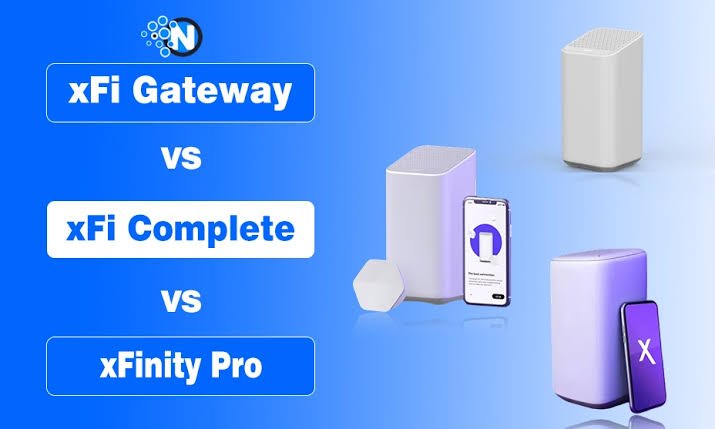
Most people find out about xFi Complete the hard way, when they check their internet bill and see a $25 charge they never explicitly signed up for. That confusion is fair. Xfinity bundles a lot into this one line item, and the name itself does not explain much. So what is xFi Complete actually doing on your account, and does it deserve the space it takes on your monthly bill? Let’s break it down properly.
What Is xFi Complete In Simple Terms?
xFi Complete is an add-on service from Xfinity that combines gateway equipment rental, unlimited internet data, and network security tools into a single monthly charge. Instead of paying separately for a modem-router rental, worrying about data caps, and setting up your own security software, you get all three under one subscription.
The service sits on top of your existing Xfinity internet plan rather than replacing it. You still choose your speed tier first, then decide whether xFi Complete makes sense as an addition. Think of it as a convenience layer built for people who do not want to manage multiple separate charges or worry about hitting a data limit mid-month.
For a household streaming in 4K across several devices, running smart home gadgets, and working from home on video calls, this bundle often costs less than buying each piece on its own. For a household with light internet use, it can feel like an unnecessary expense.
Why Xfinity Created xFi Complete?
Data caps used to be a major pain point for Xfinity customers. Standard plans came with a 1.2 TB monthly limit, and going over it triggered extra charges. Families with teenagers gaming online, four people streaming at once, or anyone running a home business quickly discovered how fast that cap disappears.
Xfinity built xFi Complete as a fix. It removed the cap, threw in the gateway rental for free, and added mobile security on top. The pricing made sense because buying these features individually cost more than the bundle itself. That value proposition is exactly why so many customers added it over the past few years.
What Is xFi Complete Made Up Of?
Breaking the bundle into its actual components makes the value much easier to judge. Here is what you get when you pay for xFi Complete:
- Unlimited data with no monthly cap
- Xfinity Gateway rental included at no separate charge
- Advanced Security for home network protection
- Advanced Security on the go for mobile devices outside your home WiFi
- A whole-home WiFi evaluation with free extenders if your coverage needs help
- Automatic gateway upgrades as newer models roll out
Each of these normally carries its own cost. Gateway rental alone runs close to $15 a month. Unlimited data as a standalone purchase costs around $30 a month. Bundled together through xFi Complete, you get both for $25, which already puts you ahead if you were planning to buy them separately anyway.
How Much Does xFi Complete Cost?
The standard price for xFi Complete is $25 per month, which is charged in addition to your regular Xfinity Internet plan. This fee covers the extra features included with the service and does not include the cost of your internet subscription.
Some customers may receive promotional pricing between $10 and $15 per month for a limited time before the plan returns to its standard monthly rate. These offers vary by account and are not available to every customer.
xFi Complete Cost vs Individual Feature Pricing
| Feature | Estimated Cost if Purchased Separately | Included with xFi Complete |
| xFi Gateway Rental | Around $15/month | Yes |
| Unlimited Data | Around $30/month | Yes |
| Advanced Security | Included with Gateway | Yes |
| WiFi Coverage Evaluation | Not sold separately | Yes |
| xFi Pods (When Eligible) | Provided based on coverage needs | Yes |
| Estimated Total Value | Around $45/month | $25/month Bundle |
That comparison explains why so many heavy-usage households stuck with the plan for years.
What Is xFi Complete’s Unlimited Data Feature Actually Worth?
Standard Xfinity plans cap usage at 1.2 TB per month, which sounds like a lot until you calculate actual usage. A household streaming 4K content daily, running smart cameras, backing up files to the cloud, and gaming online can burn through that limit faster than expected.
Once you exceed the cap, Xfinity charges $10 for every additional 50 GB used, capping overage fees at $100 a month. xFi Complete removes this entire calculation from your life. You stream, download, and upload without checking a usage meter.
There is a regional catch worth knowing. Several northeastern states, including New York, New Jersey, Massachusetts, Pennsylvania, and Connecticut, never had a data cap to begin with. So if you live in one of these regions, the unlimited data feature of xFi Complete does not add real value, since you already had unlimited usage for free.
The Xfinity Gateway And What It Actually Does?
xFi Complete requires you to use the Xfinity Gateway, which works as both a modem and a router in one device. This piece of hardware receives your internet signal and distributes WiFi throughout your home.
Newer households often get the XB8 or XB10 gateway model, both of which support faster speeds and better range than older equipment. These gateways also support WPA2 and WPA3 encryption standards, which keep your network protected from unauthorized access attempts.
The tradeoff here matters. Choosing xFi Complete locks you into Xfinity’s own equipment. If you prefer using a third-party router for more customization, you lose that flexibility, along with a few app-based features that only work with Xfinity hardware.
Advanced Security: What Protection Do You Actually Get?
Advanced Security monitors every device connected to your home network directly through the Xfinity app. It flags suspicious activity, blocks malicious sites automatically, and gives parents a way to set up controls for kids’ devices.
The mobile version, called Advanced Security on the go, extends that protection beyond your home WiFi. Once you leave the house and connect to public WiFi at a coffee shop or airport, this feature activates a VPN-style shield on your phone automatically.
Setting it up takes a few steps. Open the Xfinity app, head to the Security tab, tap Advanced Security, and agree to enable it. iOS devices show a small VPN icon in the status bar once active, while Android phones display a key symbol instead. Android users also need to grant location permissions set to always allow, since the app needs that access to detect when your phone switches networks.
If a legitimate site gets blocked by mistake, you can request a review through Xfinity’s support portal, and these reviews usually get resolved within three business days.
Whole-Home WiFi Coverage Explained
Dead zones frustrate every household with a large home or thick walls. xFi Complete addresses this through automatic WiFi evaluations that run roughly every six months while your subscription stays active.
If the evaluation detects weak coverage in certain rooms, Xfinity ships WiFi Pods at no extra cost. These pods plug into any outlet and extend your network signal to cover basements, upper floors, or far corners of larger homes.
A real-world example helps here. Picture a two-story house where the gateway sits in the living room downstairs. Upstairs bedrooms often struggle with weak signal strength, especially through concrete or brick walls. A pod placed in the hallway upstairs solves that gap completely without requiring any manual setup from the homeowner.
Is xFi Complete Still Available For New Customers
This is where things shifted significantly during 2026. Xfinity stopped offering xFi Complete to brand new customers starting late June 2026. Company representatives confirmed this change directly on their official community support forum.
New customers now get pointed toward Xfinity’s updated internet plans, many of which already bundle unlimited data and gateway rental into the base price without needing a separate add-on. Xfinity also introduced Xfinity Pro as a newer product, priced around $15 a month, which focuses more on expanded coverage through WiFi extenders and includes cellular backup during outages.
Existing customers who already subscribe to xFi Complete on older, legacy plans can keep the service or add it if their current plan still carries a data cap. If you are shopping for internet as a new customer today, you will likely encounter Xfinity Pro or an everyday-pricing plan instead of xFi Complete directly.
What Is xFi Complete Compared To Xfinity Pro
Xfinity Pro replaced xFi Complete for new sign-ups, and the two products serve slightly different priorities. xFi Complete focused heavily on removing data caps and bundling security. Xfinity Pro leans more toward expanding WiFi coverage and adding backup connectivity during outages.
| Feature | xFi Complete | Xfinity Pro |
| Monthly Price | $25/month | $15/month |
| Gateway Rental Included | Yes | Yes |
| Unlimited Data Included | Yes | Depends on the base internet plan |
| WiFi Extenders | Yes (provided if needed) | Up to 2 included |
| Cellular Backup During Internet Outages | No | Yes |
| Battery Backup Option | No | Optional ($60 one-time purchase) |
| Best For | Users who want unlimited data and security features | Users who want wider WiFi coverage and backup connectivity |
If your main concern is avoiding a data cap, xFi Complete style plans still make more sense for legacy accounts. If your priority is staying connected during storms or power outages, Xfinity Pro fits better.
Is xFi Complete Worth Adding To Your Plan
Whether xFi Complete earns its monthly cost depends entirely on your household’s actual usage patterns. Check your data consumption inside the Xfinity app before deciding anything. If you consistently stay under 1 TB monthly, paying for unlimited data brings no real benefit.
Families running multiple streaming accounts, smart home devices, and remote work setups usually cross the cap regularly. For them, the bundle saves money compared to paying overage fees or buying components separately.
Renters and single-person households often overpay for this add-on without realizing their base plan may already include everything xFi Complete offers. Always confirm what your current plan includes before adding extra charges on top.
Common Mistakes People Make With xFi Complete
A lot of confusion around this service comes from a few repeated mistakes:
- Adding it without checking if the base plan already includes unlimited data
- Assuming it applies the same way in every state, even where no cap ever existed
- Switching to a personal router later and losing pod integration unexpectedly
- Ignoring promotional pricing expiration dates and getting surprised by a price jump
- Not realizing the whole-home evaluation runs automatically, so manually requesting one does not work
Avoiding these mistakes mostly comes down to reading your bill carefully and checking your plan details through the Xfinity app before assuming anything about what you are already paying for.
How To Check Or Cancel xFi Complete
You can view your current subscription status directly inside the Xfinity app or through your online account dashboard. Cancelling requires contacting Xfinity support, either through a direct message on their community forum or by calling customer service.
Keep in mind that cancelling reinstates the standard $15 gateway rental fee unless you already own compatible equipment. Many customers accidentally end up paying more after cancelling if they forget this detail, so weigh the total cost before making changes.
Frequently Asked Questions
What is xFi Complete on my Xfinity bill?
It refers to a $25 monthly add-on bundling gateway rental, unlimited data, and security features into one charge.
Can I still get xFi Complete as a new customer?
No, Xfinity stopped offering it to new sign-ups starting June 2026. New customers get directed to updated plans or Xfinity Pro instead.
Does xFi Complete work with my own router?
No, it requires the Xfinity Gateway specifically. Using outside equipment means losing several bundled features.
Is xFi Complete available in every state?
Yes, but its unlimited data benefit does not add value in states that already have no data cap.
How often does the WiFi evaluation happen?
Roughly every six months, automatically, as long as your subscription stays active.
What is the difference between xFi Complete and Xfinity Pro?
xFi Complete focuses on unlimited data and security, priced at $25 monthly. Xfinity Pro focuses on WiFi coverage and outage backup, priced at $15 monthly.
Does cancelling xFi Complete increase my bill?
It can, since you lose the included gateway rental and may need to pay for it separately unless you use your own equipment.
Is xFi Complete worth it for a small apartment?
Usually not, since smaller spaces rarely hit the data cap or need coverage extenders in the first place.
Final Thoughts
xFi Complete made a lot of sense for years as a way to dodge data caps while getting free gateway rental and decent security tools. That equation has shifted now that Xfinity bakes unlimited data into many newer plans automatically. Before adding this service or keeping it on your account, check your actual data usage first, confirm what your base plan already covers, and compare that against the $25 monthly charge. For heavy-usage households on older plans, it still pays for itself. For lighter users on newer plans, it often becomes an unnecessary line item worth removing.
Read More: Google in 1998: The Retro Search Trick That Still Works Today